
Dec 4, 2025
The Underrated Skill: Writing Effective Bug Reports
When you start your career in tech, it’s easy to obsess over code, frameworks, and syntax. But as you grow, you realize that a huge part of the job is actually communication. Whether it’s writing a self-review, giving a status update, or answering behavioral questions, the ‘soft’ skills often determine your effectiveness as an engineer as much as your ‘hard’ skills.
I am writing a series of posts to decode these non-coding tasks. My goal isn’t just to give you a template to copy-paste, but to explain the why behind them. Once you understand the underlying reasons, the how becomes obvious.
Let’s start with one of the most common, yet frequently mishandled tasks: the bug report.
The why of a bug report
Writing a bug report often feels like a chore. You know there’s a bug, yet instead of just messaging the team about it, there is a template to fill out. Often, you wonder if it’s just a way to slow down the process so the team can focus on other things.
While this can be true in bureaucratic environments (like multiple-vendors projects), more often than not, a bug report is set as a mandatory step to ensure that the bug is tracked and addressed effectively.
How does a bug report help to achieve that? A bug report:
- establishes that a bug exists in the system. Anyone reading the report would be able to immediately verify that the system is not behaving as intended.
- assists in the resolution of the bug. The report helps with resolution of the bug by communicating the bug clearly and include sufficient detail for the responding engineer to fix the issue.
- provides a paper trail. The report serves as a historical record for project tracking and future documentation (e.g. documenting why a specific condition was added to handle a quirk in a third-party system).
Elements of a bug report
To meet its goals effectively, a bug report generally includes the following elements.
The what: expected vs actual
Before investigating a bug, you must clearly define it. This section clarifies the gap between intention and reality. Explicitly separating the two streamlines the discussion if the bug turns out to be a misunderstanding of the feature.
- Expected behavior: What did you think should happen? (e.g. “The list should show all active users.”)
- Actual behavior: What actually happened? (e.g. “The list was empty”)
It’s often helpful to state the severity of the bug. Not all bugs are created equal. A typo on the “About Us” page is different from the Checkout button failing. Briefly state the impact:
- Blocker: Users cannot use the feature at all.
- Major: The feature works but is difficult to use (workaround required).
- Minor: Cosmetic issues or edge cases.
The proof: visuals and logs
Once you have defined the bug, you need to prove it. The proof captures the moment the bug occurred. It could be a screen recording if UI is involved or terminal output for CLI tools.
Proof is vital for three reasons:
-
It minimizes miscommunication caused by mismatched mental models. Each of us has a specific mental model for the system we interact with. When a bug occurs, reporters often describe the issue based on what they think is relevant (their model), rather than the objective reality. For instance, a user might report “Search is broken” because they didn’t realize a “Status: Open” filter was active. They omit the filter from the report because they didn’t think it mattered. Proof objectively captures the actual output of the system, instead of the interpretation based on the reporter’s mental model.
-
It captures invisible context. Screenshots and logs often include technical details that the reporter doesn’t know are relevant. Common examples are timestamps and subtle UI states (like a spinner that never stops loading). These details allow engineers to narrow down their investigations, for example, by correlating the report with server-side logs using the timestamps.
-
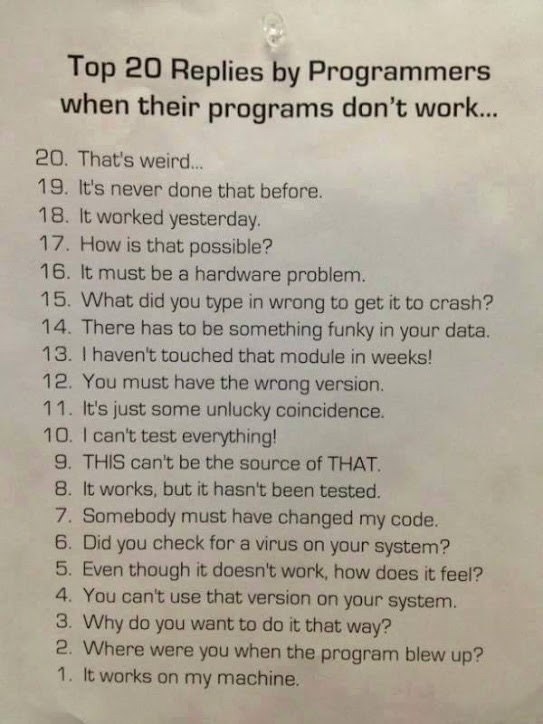
It prevents the “it works on my machine” dismissal. If an engineer cannot reproduce the bug, they may assume the reporter is mistaken and close the ticket. However, a screen recording is irrefutable evidence. Even if the engineer’s local environment works perfectly, the proof forces them to accept that the failure is real. This shifts the conversation from questioning if the bug exists to investigating why the environments differ.
The how: reproduction steps
Reproduction steps are the specific instructions to make the issue occur again. They are crucial because:
- They act as interactive proof. They allow the reader to reproduce the bug while tweaking the system (e.g. adding logging) to gather more data.
- The writing process clarifies your thought. Trying to find the minimal steps to reproduce a bug forces you to isolate the variables, making your report significantly more accurate.
It’s important to include environment details as well, e.g. browser version, operating system, staging/production environment etc. This information is important in case the bug is specific to a certain environment.
What if you can’t reproduce it?
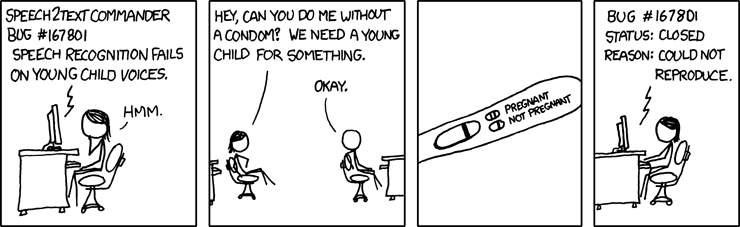
Sometimes a bug appears without a consistent pattern. In that case, document your attempts to reproduce it and the observed inconsistency. This is still useful data: inconsistency often points to race conditions or timing issues.
Bug reporting in action
Let’s look at how a bug report is used in a real workflow.
- Search existing reports. Before writing anything, the reporter checks the existing tracker. If the issue is already reported, they simply add a comment with their findings.
- Bug report creation and self-verification. If the bug is new, the reporter starts drafting a bug report. Often, the act of explicitly writing down the “Expected Behavior” or isolating the “Reproduction Steps” clarifies the issue. The reporter might realize it’s actually a configuration error or a misunderstanding of the feature, saving everyone the trouble of a false alarm.
- Bug report handoff to the responsible team. Once submitted, the bug report becomes a reference for the responder to investigate the bug. It also serves as a living document for status updates.
- Bug resolution. When the engineer fixes the bug, they reference the report ID in the Git commit or Pull Request. Six months later, if another engineer looks at that code and wonders why a specific check exists, the Git history leads them back to this report, providing the full context of the original error.
When the process works like this, the benefits are:
- It respects the team’s time: It prevents multiple engineers from investigating the same issue or asking the same clarifying questions.
- It creates focus: The responder can jump straight into debugging rather than information gathering.
- It builds documentation: The bug report (and its link to the code) serves as a permanent record of why the system works the way it does.
Conclusion
A bug report, essentially, is a tool to help the team to resolve bugs effectively by assisting the communication related to the bug. With a clear understanding of the purpose of a bug report, you should be able to appreciate its values and write a better bug report.